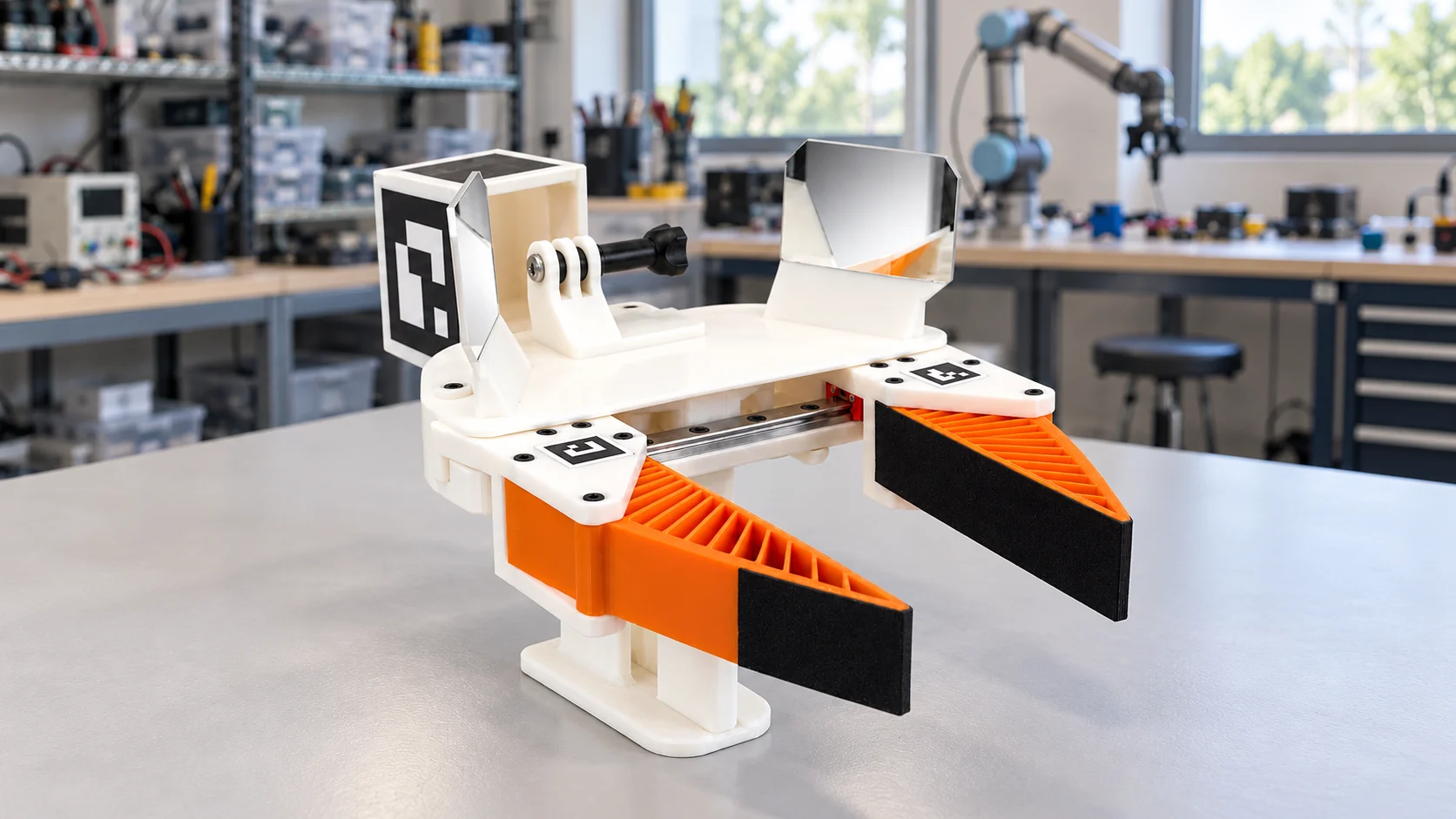
From a human demonstration to a collection workflow.
UMI stands for Universal Manipulation Interface. A person operates a handheld gripper to demonstrate a task, while a suitable camera records the interaction. Turning that recording into usable robot-learning data requires a collection and processing workflow.
WAKE supplies the assembled gripper hardware. Your team chooses the camera, lens, calibration and software for its experiment. Start with the UMI gripper specifications to check the mechanical setup against your requirements.
What arrives assembled.
The gripper combines a white PLA+ body, orange TPU 95A fingers and applied grip surfaces. A manual mechanism runs on a 150 mm linear rail with two carriages and spring return. Mirrors, visual markers and a camera mount arrive installed.
| Component | Specification |
|---|---|
| Body | 11 printed PLA+ components |
| Contact faces | 2 TPU 95A fingers with applied grip surfaces |
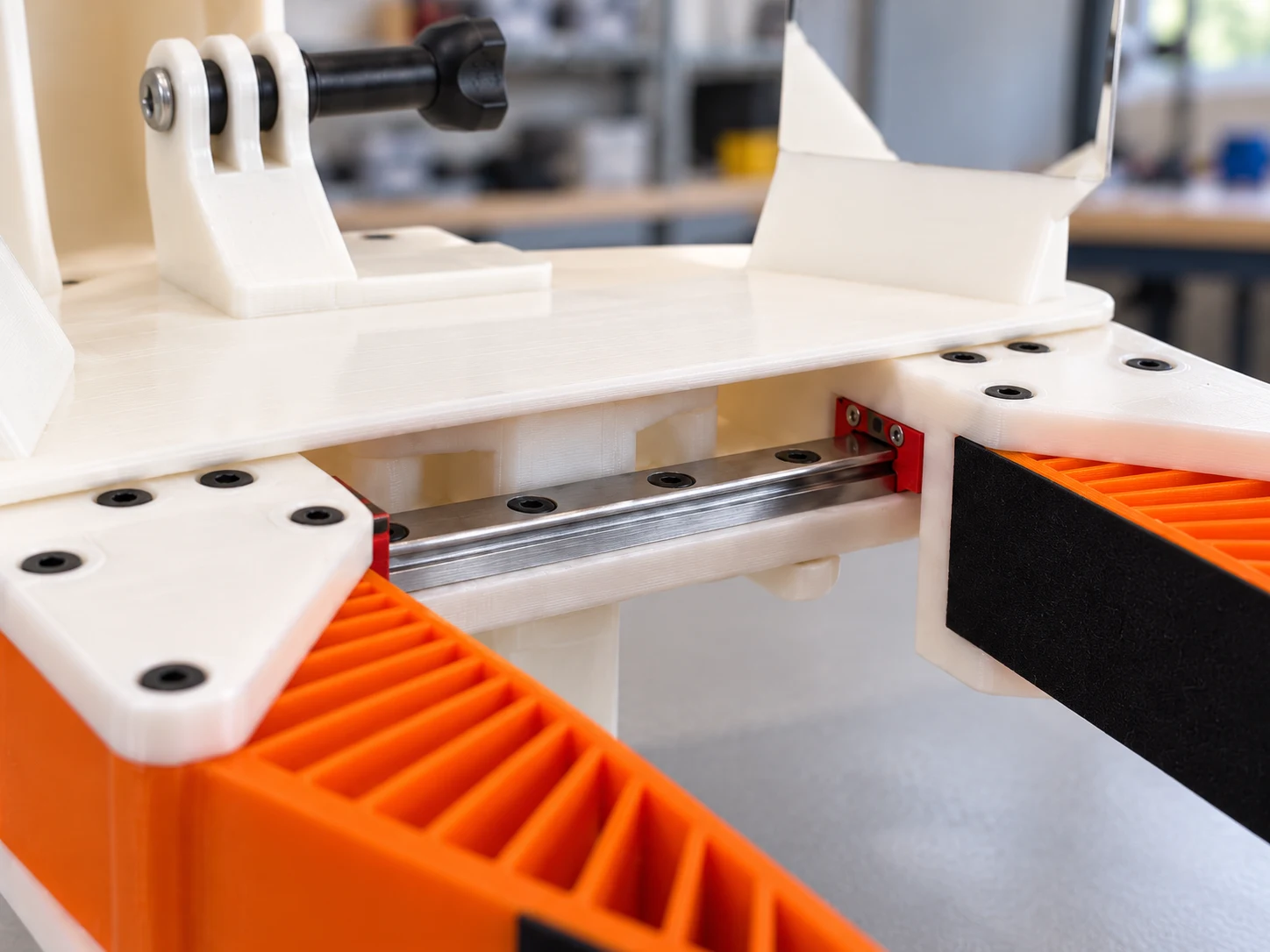
| Guided movement | 150 mm MGN9C rail, 2 carriages, spring return |
| Visual hardware | 2 side mirrors and 6 ArUco markers |
| Camera mounting | Installed mount; confirm fit with your camera and lens |
| Manufacturing | Printed and assembled in California |
What we checked on the first unit.
Our first-article inspection of unit UMI-001 documented smooth finger travel, automatic spring return and secure rail, body, camera mount and finger-holder fastenings. No binding or lateral carriage play was observed during the manual check. The two TPU fingers flexed and recovered after inspection.
That unit used the ArUco DICT_4X4_50 marker family: two 16 mm fingertip markers and four 60 mm cube markers. Marker size and identity matter to calibration. Check the configuration on your own unit before processing recordings, particularly when using a pair.
These observations describe the inspected first unit. They are not a load rating, cycle-life test or robot-policy benchmark.
One gripper or a pair?
Choose a single gripper to evaluate a one-handed manipulation workflow. A pair contains two identical assembled grippers for experiments that need both hands.
For two-handed collection, check marker assignments, camera synchronization and calibration before recording. Buying a pair supplies the hardware; these steps belong to your collection workflow.
Validate one task before collecting more.
A short test session can reveal setup problems before they affect a larger collection. Choose a task and objects that represent the work you intend to record.
- Check contact: can the fingers grasp and release the intended object reliably?
- Check the view: keep the object, contact points and visual references visible throughout the motion.
- Check the recording: inspect focus, exposure, motion blur and continuity.
- Process a short session: verify that calibration, tracking and timing produce the signals your workflow expects.
- Review the result: confirm that another team member can identify the task, outcome and any failed attempts.
Match the hardware to the experiment.
A handheld gripper records a different interaction from someone working with their bare hands. If your task depends on individual finger movements or ordinary hand tools, first compare the capture requirements. Our guide to UMI and head-mounted capture explains the distinction.
The WAKE gripper is manually operated collection hardware. Robot compatibility and training results depend on the rest of your system. Define the observations, motion representation and timing your learner needs before scaling collection.
Choose your setup.
Single grippers and pairs ship from Los Gatos, California. The product page shows current availability, purchasing options and shipping details.
View the WAKE UMI Gripper to inspect the hardware from multiple angles and choose your configuration.
Questions, answered.
Is the WAKE UMI Gripper motorized?
No. It uses manual actuation with spring return. It is handheld collection hardware.
What do I need for a first recording?
A suitable camera and lens, recording software, and a calibration and processing workflow. Confirm mount compatibility and validate a short session before collecting at scale.
Does a pair arrive calibrated for two-handed recording?
A pair contains two identical assembled grippers. Your team must configure marker assignments, synchronization and calibration for its workflow.
Sources and further reading
Primary references checked November 1, 2026.